Website Redesign Checklist for Business Owners
A practical website redesign checklist for founders and marketing leads — when to redesign, what to preserve for SEO, how to brief a frontend developer, and how to avoid an expensive cosmetic refresh that changes nothing.
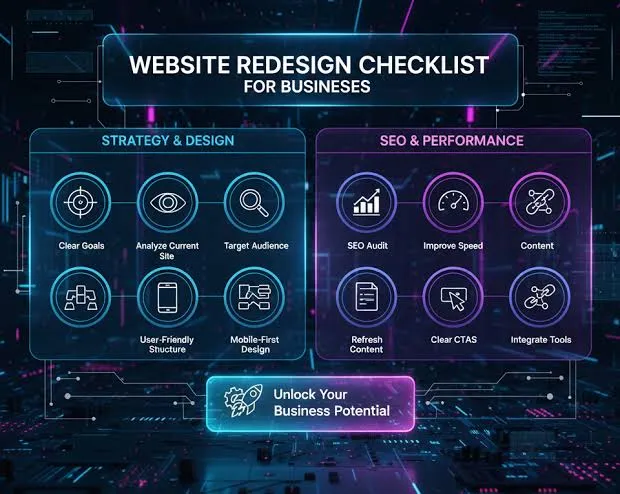
Most website redesigns fail quietly. The new site launches, the team celebrates on Slack, and three months later organic traffic is soft, paid landing pages convert worse than before, and nobody can explain why the “modern look” didn’t move revenue.
I’ve been hired to recover from redesigns that optimized for aesthetics and forgot redirects, page speed, form fields that matched CRM fields, and the only three pages that actually generated leads. This checklist is the process I walk business owners through before anyone opens Figma — or before they hire me to implement the redesign in Astro, Next.js, or React.
First: Confirm You Need a Redesign
Redesign is not the default fix. Ask whether the problem is:
| Symptom | Redesign? | Often better first move |
|---|---|---|
| Slow load / poor Core Web Vitals | Maybe later | Performance remediation |
| Low conversions, decent traffic | Sometimes | Landing page structure + copy + CTA tests |
| Brand mismatch after rebrand | Yes | Visual system + refreshed templates |
| Can’t update content without a developer | Possibly | Headless CMS before full redesign |
| Outgrown WordPress/page builder limits | Often yes | Stack decision + phased rebuild |
| ”It looks dated” with no business metric | No | Measure first |
If you can’t name the business outcome the redesign must improve, pause. Cosmetic projects burn budget and introduce SEO risk for Instagram compliments.
Redesign Goals That Survive Contact With Reality
Pick one primary outcome:
- Increase demo bookings / trial signups
- Improve mobile conversion on key pages
- Recover or protect organic rankings during a platform change
- Enable marketing to publish without engineering
- Support a new product, market, or pricing model
Secondary outcomes are fine. Primary must be singular. Every design and engineering decision should trace back to it.
Pre-Redesign Inventory (Do This Before Design)
1. URL and SEO inventory
Export:
- Google Search Console top landing pages and queries
- Analytics top conversion paths
- Backlinks to critical URLs (Ahrefs/Semrush if you have them)
Anything that ranks or converts is sacred. Changing those URLs without 301 redirects is optional self-harm. If you’re migrating platforms, the discipline in Migrating WordPress to Astro Without Losing SEO applies even when you’re not on WordPress.
2. Conversion inventory
List every form, booking embed, chat tool, and thank-you page. Redesigns regularly “clean up” forms by removing fields sales still needs — or by breaking HubSpot/Salesforce mappings.
3. Content inventory
Who writes? How often? Which pages must be editable in a CMS vs. code? This decides Astro + Sanity versus a more application-heavy Next.js setup — covered in Choosing a Frontend Stack for Your Business.
4. Integration inventory
CRM, email platform, payment processor, scheduling, live chat, consent/CMP, analytics, tag manager. Each integration needs an owner and a test plan on staging.
Briefing Design and Development
A useful redesign brief includes:
- Primary KPI and current baseline
- Audience and top jobs-to-be-done
- Must-keep pages and must-kill pages
- Competitors / inspiration (with notes on why, not just screenshots)
- Brand assets and constraints
- Mobile performance target (for example, LCP under 2.5s on key templates)
- Accessibility expectation (legal exposure and form UX)
- Launch window and freeze dates (busy seasons, campaigns)
If design happens in Figma, align early on the handoff expectations — tokens, breakpoints, empty states, error states, and CMS-driven components.
The Architecture Decision Inside Every Redesign
Business owners often think redesign equals new colors and fonts. Underneath, you’re choosing how the site is built:
- Refresh on current platform — lower migration risk, limited ceiling
- New frontend, same CMS/backend — better UX/performance, controlled scope
- Full stack migration — highest upside and highest SEO/process risk
I recommend the lightest option that hits the KPI. Full migrations are justified when the current platform blocks speed, SEO, or content workflows — not when the logo feels tired.
Redirect and Launch Checklist
Before go-live:
- 301 map for every changed or removed URL that had traffic or backlinks
- Canonical tags and metadata reviewed on templates (not just the homepage)
- Sitemap submitted; old sitemap deprecated cleanly
- Analytics and conversion events validated on staging and production
- Forms end-to-end into CRM with test records
- Mobile performance check on real mid-tier devices, not only desktop Lighthouse
- 404 page with useful navigation
- Rollback plan (hosting snapshot or previous deploy)
Launch day is not the day to invent redirect rules.
Phased Redesign vs Big-Bang Launch
Big-bang suits small sites with clear ownership and low SEO dependency.
Phased suits content-heavy or lead-gen businesses:
- Phase A: Templates for homepage + top conversion pages
- Phase B: Blog/resources migration
- Phase C: Secondary pages and experiments
Phasing reduces risk and lets ads keep running against proven pages while the rest catches up.
What I Deliver When Clients Hire Me for Redesigns
When businesses hire me as the frontend developer on a redesign, deliverables typically include:
- Production frontend in Astro or Next.js (matched to stack fit)
- CMS wiring when editors need independence
- Performance budget against agreed Core Web Vitals targets
- SEO-safe URL strategy and metadata patterns
- Staging QA checklist with stakeholders
- Handoff notes for future freelancers or internal teams
Design may come from your designer, brand studio, or a prior Figma system. My job is shipping what converts and holds up under traffic — not redesigning your brand identity unless that’s explicitly scoped.
Case Study: Cosmetic Redesign That Hurt Leads — Boston
A Boston B2B services firm redesigned because leadership wanted a “Series B look.” The new site launched with shorter forms (sales still needed two qualification fields), renamed service URLs without a complete 301 map, and a heavier animation set that pushed mobile LCP over four seconds on the highest-spend lander.
Three months later: demos down, excuses plentiful. Recovery work was less glamorous than the redesign — restore fields, finish redirects, strip motion that didn’t pay rent. We also wrote a KPI before further visual work: restore demo volume, then iterate brand polish.
Aesthetics weren’t the enemy. Shipping aesthetics without inventory was.
Case Study: Phased Redesign Done Right — Edinburgh
An Edinburgh SaaS company needed a brand refresh and a CMS marketing teams could own. Instead of a big-bang flip, we:
- Locked primary KPI: trial starts from
/pricingand/demo - Shipped new homepage + pricing on Astro with Sanity while old blog stayed temporarily
- Kept ad landers on proven templates until parity
- Migrated blog in phase B with redirects
- Only then retired the old host
Paid acquisition never took a holiday for a redesign ceremony. SEO equity dipped briefly on migrated URLs and recovered because the map was complete — habits described in Migrating WordPress to Astro Without Losing SEO.
Redesign Risk Matrix
| Risk | Likelihood if ignored | Mitigation |
|---|---|---|
| Organic drop from URL chaos | High | Inventory + 301s + Search Console watch |
| Conversion drop from form “cleanup” | High | CRM field mapping tests |
| Performance regression | High | CWV budget on money templates |
| Content bottleneck post-launch | Medium | CMS decision before design freestyle |
| Stakeholder redesign-in-QA | Medium | Freeze rules + change-request path |
| Tracking loss | High | Staging + prod event QA |
Owners who review this matrix in week one sleep better in week twelve.
Timeline Template for a Mid-Size Marketing Redesign
Week 0–1   Inventory + KPI + stack decision
Week 1–3   Design system + key templates in Figma
Week 3–7   Frontend build + CMS schemas
Week 6–8   Content entry + redirects + SEO QA
Week 8     Staging acceptance (forms, CWV, analytics)
Week 9     Launch + 14-day watch window
Adjust for size — but notice design doesn’t start until inventory exists, and launch isn’t “when Figma feels done.” Handoff quality still follows Figma to production expectations.
Messaging vs Visuals: Don’t Confuse Them
If conversion is weak and traffic quality is fine, a redesign may be the wrong first tool. Copy, offer clarity, social proof placement, and form friction often beat new fonts. I push clients to run a narrow landing test before funding a 40-page visual overhaul — especially when the stack is already capable of speed. Sometimes the real need is performance remediation, not a new mood board.
Stakeholder Alignment Before Kickoff
Bring these people into one working doc:
- Marketing — KPI, IA, content ownership
- Sales — form fields, follow-up SLAs
- SEO — URL sacredness list
- Brand/design — freeze dates
- Engineering/freelance frontend — stack + performance bar
- Legal — privacy/consent on new forms
Redesigns fail when five of those roles meet for the first time on launch week.
Acceptance Criteria Sample
When clients hire me, acceptance reads something like:
- Top 20 equity URLs redirected or preserved
- Mobile LCP ≤ 2.5s on homepage + primary lander (lab) with field watch plan
- Demo form creates correct CRM record with required fields
- Analytics events match pre-launch dictionary
- Editors can publish a blog post without engineering
- Technical SEO launch checklist signed
Pretty alone never signs the project off.
Content Migration Is a Project, Not a Checkbox
Underestimate copy move-over and you’ll launch with lorem in legal pages or half-migrated blogs. Practical approach:
- Prioritize money pages and top organic URLs first
- Assign a content owner who isn’t also approving Figma pixels that week
- Use staging with real content for QA — design comps lie about wrap and length
- Keep a “not migrating” burial list so zombie pages don’t reappear via redirects to nowhere
In a redesign for a Manchester firm, the visual build finished on time; content entry slipped two weeks because nobody owned it. Build that ownership into the kickoff, not the panic week.
Brand Guidelines vs Website Components
Brand PDFs often specify print-first rules. Web needs components: buttons, forms, cards (only where interaction needs them), nav states, footers. Ask design to translate brand into a small UI kit before twenty unique one-offs appear. That kit is what freelancers implement quickly — and what marketing can extend later without drift. Stack decisions still sit under Choosing a Frontend Stack for Your Business.
Post-Launch Review at Day 30
Schedule it on the calendar pre-kickoff:
- KPI vs baseline
- Search Console coverage anomalies
- CWV field trend
- Form → CRM error rates
- Editor pain points
- Backlog for phase B
Redesigns without a day-30 review become mythology — success claimed, learning discarded. Tie the meeting to numbers, not vibes.
Conclusion
A website redesign is a business project that happens to involve visuals. Start with a KPI, inventory what already works, protect SEO equity, and choose the lightest architecture that unblocks growth. Skip the redesign if performance or messaging is the real bottleneck — fix those first.
If you’re still deciding redesign versus a full rebuild, start with website redesign or new website. When the path is already clear and you want execution, see website redesign services — or a Figma to code developer for implementation-only — then reach out with your current URL list and goals. I’ll tell you whether you need a refresh, a rebuild, or a narrower intervention.
Key Takeaways
- Redesign only when a clear business KPI requires it — not because the site “looks old”
- Inventory SEO URLs, conversions, content ownership, and integrations before design starts
- Preserve ranking URLs or 301 them deliberately; never “clean up” slugs casually
- Prefer the lightest technical change that hits the outcome
- Validate analytics, forms, and mobile speed before launch — not after
- Phased rollouts reduce risk for content-heavy and paid-acquisition businesses
Table of Contents
// related.posts()
Continue Reading_
How to Brief a Frontend Developer for Your Website Project
A practical brief template for hiring a frontend developer — goals, scope, assets, integrations, success metrics, and the details that prevent misquotes, delayed launches, and awkward mid-project surprises.

Do You Need a Frontend Developer Retainer?
When a frontend developer retainer makes sense for your business — typical monthly scopes, pricing patterns, what retainers should include, and how to tell retainer value from expensive standby hours.

Migrating From Squarespace or Wix to a Custom Frontend
How to migrate from Squarespace or Wix to a custom frontend without losing SEO and momentum — when the move is worth it, what to rebuild first, redirect planning, and a realistic project timeline.