Migrating From Squarespace or Wix to a Custom Frontend
How to migrate from Squarespace or Wix to a custom frontend without losing SEO and momentum — when the move is worth it, what to rebuild first, redirect planning, and a realistic project timeline.

Squarespace and Wix are excellent at getting a business online quickly. They’re less excellent when you need custom integrations, strict performance on paid landing pages, multi-language structured content, or a design system that matches a matured brand.
I’ve migrated companies off hosted page builders into Astro and Next.js frontends when the builder became the bottleneck — not because custom is morally superior. This guide covers when to leave, how to leave without torching SEO, and what to expect from the project.
Signs You’ve Outgrown Squarespace/Wix
- Mobile speed can’t hit your targets despite image cleanup
- Marketing wants page types the platform fights weekly
- Developers duct-tape scripts that break on platform updates
- Checkout/lead flows need logic the builder can’t express cleanly
- You’re paying for workarounds that approach custom-site cost
- Brand redesign can’t be implemented faithfully
If none of those are true, stay. Read When to Hire a Frontend Developer vs. Use a Page Builder before spending migration money.
What You’re Migrating To
Typical destination for content/marketing businesses:
- Astro + headless CMS (Sanity, etc.) for fast public sites
- Next.js when more application-like public experiences are required
Stack fit overview: Choosing a Frontend Stack for Your Business.
Editors will need a new mental model. Budget training. Don’t assume “they’ll figure out Sanity” without onboarding.
Migration Principles That Protect Revenue
1. Inventory before design
Export URL lists, traffic leaders, form destinations, and blog posts. Treat high-equity URLs as sacred.
2. Redirects are the migration
Every public URL that moves needs a deliberate 301. Platform migrations die here more often than in design disagreements. Process parallels WordPress → Astro SEO migration.
3. Recreate content hierarchy, not just visuals
Navigation, internal links, and blog structure carry SEO meaning. A prettier IA that orphans posts is a downgrade.
4. Re-test forms and analytics
UTMs, thank-you pages, and CRM destinations often break quietly when embeds are rebuilt.
5. Launch with a watch window
Search Console coverage + conversion baselines for two weeks. See Technical SEO Checklist Before You Launch.
Phased Leaving vs Big-Bang
Big-bang works for small brochure sites (under ~20 URLs) with light SEO dependence.
Phased works when blogs and landing libraries are large:
- New frontend for primary conversion templates
- Port blog/content with redirects
- Decommission builder when parity is proven
DNS cutover still needs discipline either way.
Content Export Realities
Squarespace/Wix exports are rarely “perfect Markdown ready for Astro.” Expect cleaning:
- HTML cruft
- Inconsistent heading structures
- Image CDNs that need rehosting/optimization
- Metadata gaps
I usually budget a content cleanup pass — either me, the client, or a contractor — separate from pure frontend build time.
Timeline and Cost Ballparks
| Site size | Typical migration window |
|---|---|
| 5–15 pages, light blog | 3–6 weeks |
| 15–40 pages + active blog | 6–10 weeks |
| Large content library | 2–4 months phased |
Costs track scope and CMS choice more than the fact you came from Wix. See freelance frontend pricing.
What Improves After a Good Migration
Done well, clients get:
- Faster mobile pages (often dramatically)
- Cleaner design system adherence
- Better deploy/preview workflows
- Integrations that aren’t fragile embeds
- Ownership of code and content portability
Done poorly, clients get a redesign that drops rankings for six months. Process discipline is the difference.
Case Study: Wix → Astro for a London Consultancy
A consulting firm in London had grown from a one-page Wix brochure into a messy stack of landing pages, a blog, and three different contact embeds. Mobile LCP hovered near 5s on their highest-traffic service URL. They didn’t hate Wix — they hated explaining to partners why the site felt cheap on a phone.
Migration plan:
- Inventory ~35 URLs + Search Console top queries
- Design system in Figma (mobile frames mandatory)
- Astro + Sanity for pages/blog; keep IA mostly stable
- 301 map reviewed twice — once by me, once by their marketing lead
- Parallel run: new staging proved forms → HubSpot before DNS cutover
| Week | Focus |
|---|---|
| 1–2 | Inventory, redirects draft, content model |
| 3–5 | Templates + CMS + content cleanup |
| 6 | QA, SEO checklist, editor training |
| 7 | Cutover + watch window |
Organic sessions dipped ~8% in week one (normal turbulence), then recovered and surpassed baseline by month two — largely because Mobile Usability / CWV stopped being a drag and internal links were no longer builder accidents. Related reading: Convert a Slow Website Into a Fast, Modern Site.
Redirect Spreadsheet Template (Use This)
Treat redirects as a deliverable, not a launch-day chore.
| Old URL | New URL | Notes | Owner |
|---|---|---|---|
/services/branding | /services/brand-strategy | Rename — keep equity | Marketing |
/blog?tag=seo | /blog or filtered route | Decide deliberately | Dev |
/home | / | Collapse duplicates | Dev |
Rules I enforce:
- One hop when possible (don’t chain 301→301→200)
- No soft 404s that “look fine” in the browser
- Update XML sitemaps on day one
- Re-submit key URLs in Search Console after cutover
Same discipline as Migrating WordPress to Astro Without Losing SEO — different CMS origin, same failure modes.
SEO Parity Checklist Mid-Build
Before you call staging “ready”:
- Title / meta description templates reviewed on top templates
- Canonical tags correct (especially www / trailing slash)
-
h1strategy matches content hierarchy — one clear h1 per page - Image alts migrated or improved, not blanked
- Blog post dates preserved where intentional
- Internal links updated to new paths (not only external 301s)
- Structured data only if you can maintain it (full launch list)
A prettier site that orphans your best-ranking article is a downgrade wearing new fonts.
Editor Training Plan That Actually Sticks
Budget 60–90 minutes:
- Create a landing page from modules
- Edit SEO fields
- Upload an image with alt text
- Preview on staging
- Publish + verify on production
- Know who to ping when they need a new module
Without training, clients invent workarounds — pasting giant HTML blobs into rich text — and you recreate page-builder chaos inside a headless CMS. Sanity-specific expectations: Sanity CMS for Marketing Teams.
Stay / Hybrid / Full Move Decision Table
| Situation | Recommendation |
|---|---|
| Fine speed, rare custom needs | Stay on Squarespace/Wix |
| One paid lander must be fast; rest is brochure | Hybrid — custom lander subdomain or path, builder for the rest |
| Builder fights weekly + SEO revenue matters | Full move with redirect program |
| Team wants “custom” for prestige only | Stay — fund offer/photography instead |
When you’re unsure whether custom frontend is even the category of solution, read When to Hire a Frontend Developer vs. Use a Page Builder and Choosing a Frontend Stack for Your Business before you bill a migration kickoff.
What to Export and Who Owns Cleanup
| Asset | Typical export quality | Who cleans |
|---|---|---|
| Blog HTML | Messy, nested spans | Content owner + light eng scripts |
| Images | Hotlinked / oversized | Frontend optimization pass |
| Product/service copy | OK if manually copied | Marketing |
| Redirect candidates | Manual URL crawl | Shared |
I often quote frontend build and content remediation as separate lines so nobody is shocked when HTML soup takes real hours.
DNS Cutover Runbook (Don’t Wing It)
On cutover day I want a written order of operations:
- Freeze content on the old platform (or accept last-minute drift)
- Final redirect table deployed on the new host
- Lower DNS TTL ahead of time if you control it
- Point DNS / reverse proxy to the new origin
- Verify HTTPS, www/apex, and a sample of 301s
- Submit updated sitemap; spot-check Search Console
- Test forms + analytics with a real submission
- Keep old platform read-only for a rollback window if possible
Rollback plans are boring until they aren’t. Brochure sites can often cut cleanly; high-revenue sites deserve a longer parallel verification. Full launch hygiene: Technical SEO Checklist Before You Launch.
Hybrid Pattern: Custom Lander, Builder Broccoli
Not every migration is all-or-nothing. A Boston client kept Wix for the corporate brochure and moved paid search landers to Astro on a subdomain (go.example.com). Media got CWV and message-match control; the founder avoided a full rebuild before a funding sprint.
Hybrid works when:
- One or two money templates justify engineering
- Legal/about/career pages can stay slower without killing CAC
- Redirects between domains are planned (they will confuse someone)
Hybrid fails when marketing pastes the same fragile embeds onto both hosts without a tag policy. Performance sequencing still follows Convert a Slow Website Into a Fast, Modern Site.
Content Cleanup Standards (Make Them Explicit)
Agree what “done” means for migrated HTML:
| Issue | Standard |
|---|---|
| Heading levels | One h1; logical h2/h3 — no skipped chaos |
| Inline styles | Strip unless intentional brand exception |
| Images | Rehosted, compressed, descriptive alts |
| Broken internal links | Fixed to new IA |
| Orphan drafts | Don’t migrate junk for nostalgia |
If nobody owns cleanup, the new site inherits the old mess in a prettier coat. CMS choice and editor readiness: Sanity CMS for Marketing Teams.
Post-Launch Watch Window — What I Report Weekly
For two weeks after DNS:
- Coverage / not-found spikes in Search Console
- Top landing pages: sessions, conversions, CWV field data if available
- Form → CRM success rate
- Soft 404 suspects from redirect mistakes
Then we fix redirects and templates while memory is fresh. Waiting two months turns a clean migration into SEO archaeology.
Budget Conversation Starters
Bring these numbers into a scoping call:
- Approximate public URL count
- Blog/post volume
- Must-keep integrations
- Who writes/migrates content hours
- Hard deadline vs soft preference
I’ll map that to a stay / hybrid / full-move recommendation — and an honest cost range — before anyone falls in love with a redesign moodboard. If custom still feels premature, reaffirm with When to Hire a Frontend Developer vs. Use a Page Builder.
Conclusion
Migrating from Squarespace or Wix to a custom frontend is worth it when the builder caps performance, integrations, or brand execution — and when you’re willing to fund redirects, content cleanup, and editor training. It’s not worth it as a status upgrade.
If you’re bumping into platform ceilings and want a migration plan that protects SEO, contact me with your URL list and must-keep integrations — many teams hire an Astro developer for the new delivery layer, with website performance optimization when the old templates are already bleeding conversions. I’ll propose stay, hybrid, or full move with eyes open.
Key Takeaways
- Leave page builders for capability ceilings — not aesthetics alone
- Inventory URLs and convert redirects into a first-class deliverable
- Prefer Astro or Next based on content vs app-like needs
- Budget content cleanup and CMS training alongside engineering
- Phase large content libraries; big-bang only small sites
- Watch Search Console and conversions after cutover
Table of Contents
// related.posts()
Continue Reading_
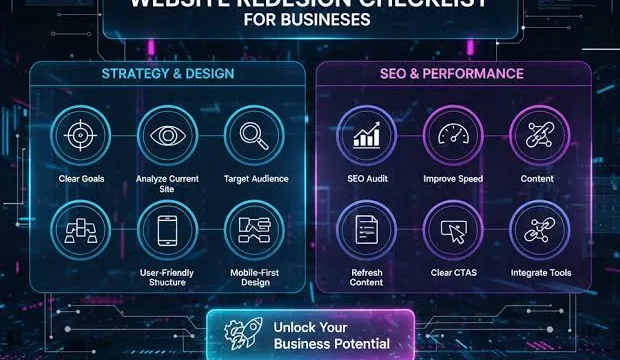
Website Redesign Checklist for Business Owners
A practical website redesign checklist for founders and marketing leads — when to redesign, what to preserve for SEO, how to brief a frontend developer, and how to avoid an expensive cosmetic refresh that changes nothing.
Migrating WordPress to Astro Without Losing SEO
A step-by-step migration playbook from a freelancer who's moved 15+ WordPress sites to Astro — redirects, metadata, structured data, and the mistakes that tank rankings.
How to Brief a Frontend Developer for Your Website Project
A practical brief template for hiring a frontend developer — goals, scope, assets, integrations, success metrics, and the details that prevent misquotes, delayed launches, and awkward mid-project surprises.