Custom Frontend vs WordPress Theme for a Growing Business
Custom frontend or WordPress theme? A practical comparison for growing businesses — cost, speed, editing workflows, SEO control, and when graduating from WordPress themes to Astro or Next.js actually pays off.
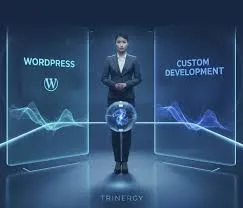
WordPress themes still run a huge share of business websites. Some are perfectly fine. Others are why a marketing director is reading this while waiting four seconds for the homepage hero to appear under a stack of plugins.
I help growing companies decide whether to keep investing in a WordPress theme stack or move to a custom frontend (often Astro or Next.js) with a cleaner content workflow. This is not an anti-WordPress rant. It’s a fit conversation — related to, but narrower than, When to Hire a Frontend Developer vs. Use a Page Builder and more decision-oriented than the migration how-to in Migrating WordPress to Astro Without Losing SEO.
What “WordPress Theme” Usually Means Operationally
In practice:
- PHP theme (custom or purchased) + page builder or Gutenberg patterns
- Plugin ecosystem for SEO, forms, caching, sliders, security
- Hosting that may or may not be tuned
- Editors who can change pages — sometimes too freely
Strengths: familiar editing, vast talent pool, fast commodity features.
Weaknesses: performance variance, plugin conflicts, design drift, upgrade anxiety.
What “Custom Frontend” Means Here
A custom frontend typically means:
- Astro/Next/React (or similar) renders the site
- Content may still come from WordPress headless, Sanity, or another CMS
- Design system enforced in code
- Hosting on a CDN-first platform
- Performance budgets are intentional
You can keep WordPress as a CMS headless while abandoning the theme as the delivery layer — a middle path many teams miss.
Comparison on the Dimensions Leaders Care About
| Dimension | WordPress theme | Custom frontend |
|---|---|---|
| Time to first edits | Often faster | Depends on CMS setup |
| Peak performance potential | Possible with elite care | Easier to keep fast by default |
| Plugin convenience | High | Replaced by integrations |
| Design consistency at scale | Hard without strict governance | Easier with components |
| Security surface | Themes/plugins add risk | Smaller public surface if static |
| Talent availability | Large WP pool | Frontend specialists |
| Long-term rebuild risk | Theme lock-in / builder lock-in | Code ownership if contracted well |
Stay on a WordPress Theme If…
- Site is mostly simple pages with modest traffic
- A competent WP specialist already maintains it well
- Measured CWV and conversion are healthy
- Editors need total layout freedom more than strict brand control
- Budget for a frontend rebuild isn’t justified by growth plans
Improve what you have: caching, image pipeline, plugin diet, hosting upgrade. Don’t migrate for ideology.
Move Toward a Custom Frontend If…
- Mobile speed consistently fails on money pages despite WP optimization attempts
- Marketing ships campaigns that fight the theme weekly
- Brand redesign can’t be expressed without builder contortions
- Security/maintenance overhead from plugins is climbing
- You’re investing seriously in organic content and need HTML-first delivery
- Multiple sites/brands need a shared design system
For content-led businesses, Astro is frequently my recommendation — Why Astro Is My First Choice for Content Websites.
The Headless WordPress Option
Keep editorial familiarity in WP admin; rebuild the public site in Astro/Next.
Pros: less editor retraining; better public performance potential. Cons: still maintaining WordPress; preview///auth complexity; API modeling work.
Choose this when editor change management is the blocker, not nostalgia for the theme.
Cost Reality
A “cheap theme + plugins” site can look inexpensive until you count:
- Ongoing plugin licenses
- Emergency fixes after updates
- Conversion losses from speed issues
- Eventual redesign trapped in builder debt
A custom frontend costs more upfront and usually less in chaos later — if scoped honestly. Budget ranges: How Much Does a Freelance Frontend Developer Cost?.
Decision Checklist
- What are mobile CWV results on top landing pages today?
- How many hours/month does your team lose to WP issues?
- Who must edit what without developers?
- Is SEO equity concentrated in URLs you can redirect cleanly?
- Will you redesign in the next 12 months anyway?
If you’re redesigning soon, migrating during redesign often costs less than redesigning in the old theme and migrating later.
Case Study: Professional Services Firm in Chicago
A 40-person professional services firm in Chicago had outgrown a purchased WordPress theme. The homepage scored poorly on mobile, the page builder fought every brand update, and their marketing coordinator spent nights fighting plugin conflicts after “security updates.”
They asked for a full custom redesign on day one. We ran the decision checklist first.
Stay signals: Editorial team knew WP admin; blog had meaningful organic equity; budget for a simultaneous brand overhaul was tight.
Leave signals: Mobile LCP on service pages consistently over 4s after caching/image work; builder markup made consistent CTAs impossible; two microsites needed the same components.
Decision: Headless WordPress for six months — Astro frontend, WP as the CMS they already trusted — then evaluate whether Sanity or another CMS was worth a second migration. Organic URLs stayed intact with a careful redirect map (same discipline as Migrating WordPress to Astro Without Losing SEO).
Within one quarter, service-page mobile engagement improved and the coordinator stopped being an unpaid WordPress sysadmin. They didn’t need ideology. They needed a delivery layer that matched growth.
Case Study: Ecommerce Brand in Manchester (Theme Ceiling)
A DTC brand in Manchester had a WooCommerce theme that “worked” until paid social scaled. Category templates were heavy; third-party upsell plugins fought Core Web Vitals; the theme author’s update cadence became a risk.
We did not rip WooCommerce out on week one. Sequence:
- Performance triage on category + PDP templates (speed conversion playbook)
- Plugin diet and image pipeline
- Honest ceiling document: theme could not hit the INP budget with required apps
- Custom storefront phase planned alongside a quieter season — not Black Friday week
Theme stacks can be the right answer until the commerce feature set and the performance budget become mutually exclusive. Document that conflict early so leadership isn’t surprised mid-peak-season.
Decision Framework: Score Your Situation
Rate each row 1 (theme wins) to 5 (custom frontend wins):
| Factor | 1 — Theme-friendly | 5 — Custom-friendly |
|---|---|---|
| Mobile CWV on money pages | Healthy after optimization | Failing despite competent WP care |
| Campaign velocity | Occasional updates | Weekly landing experiments |
| Design system needs | One-off pages OK | Multi-brand / strict components |
| Security/maintenance load | Stable, owned | Constant plugin fire drills |
| Content SEO ambition | Thin brochure | Publishing engine |
| Internal skills | Strong WP retainers available | Frontend + headless comfort |
Rough guide: average ≤2 → invest in the theme; 3 → consider headless; ≥4 → plan custom frontend with migration budget.
Numbers aren’t destiny — a single failing paid landing template can justify targeted custom work without migrating the whole estate.
What Growing Businesses Underestimate
Editor freedom vs brand governance
Page builders maximize freedom. Growing brands usually need governed freedom: approved components, locked spacing, predictable SEO fields. Custom frontends (or heavily constrained block themes) encode that governance in code.
The second redesign tax
Teams often redesign inside the builder, then migrate later. You pay twice for the same visual system. If a rebrand is already funded, that’s the moment to graduate the delivery layer — frontmatter for cost honesty lives in How Much Does a Freelance Frontend Developer Cost?.
Hosting theatre
“We bought better hosting” is not a frontend strategy. Faster TTFB helps; it does not remove megabytes of theme JS or an unbounded slider plugin.
Migration Patterns I Recommend
Phase A  Optimize WP (prove what the ceiling is)
Phase B  Custom frontend for top templates OR headless WP
Phase C  Remaining templates + content workflow hardening
Phase D  Optional CMS change once editors are stable
Skipping straight to Phase D because a blog post said “headless is modern” is how projects balloon. Prove ceilings with measurement first — then spend.
Soft Gate Before You Hire Anyone
Bring these artifacts to a discovery call:
- Mobile field CWV screenshots for top URLs
- List of plugins and what each is for
- Who must edit what weekly
- Whether a visual redesign is already funded this year
With that packet I can usually say stay, headless, or full custom in one conversation — and what not to buy yet. If you’ve already decided the theme is the ceiling and need implementation help, say hello with that packet attached.
Content Workflow After You Leave the Theme
Custom frontends only win if someone can publish. Plan the editorial path before visual comps finish:
| Role | Weekly tasks | Tooling notes |
|---|---|---|
| Marketer | Landers, CTAs, campaigns | CMS components, not freeform builders |
| Content | Blog/resources | Predicable SEO fields |
| Design | New section patterns | Tokens + component PRs |
| Frontend | Integrations, performance | Budget guardian |
I’ve watched companies pay for Astro, then paste HTML into a CMS rich-text field like it was 2014. Governance is the product. Pair this with stack fit notes in Choosing a Frontend Stack for Your Business and, when content is the center of gravity, Why Astro Is My First Choice for Content Websites.
SEO Continuity When Graduating Off a Theme
Whether you go headless WP or a new CMS, protect:
- Slugs that rank (or deliberate 301s)
- Internal link hubs
- Metadata parity on launch day
- Sitemap quality after cutover
Theme nostalgia is not an SEO strategy — but neither is “clean URLs” that orphan backlinks. Make equity part of the migration SOW, not a post-launch surprise.
A Note on Hybrid Estates
Growing companies rarely wake up on a single stack. You may keep WordPress for one legacy brochure brand, Astro for the primary content engine, and Next for the product. That’s fine — document performance budgets and CMS owners per property so “we’ll fix it in the theme” doesn’t become a ghost responsibility. Clarity beats purity when the business is already mid-growth.
Conclusion
WordPress themes remain valid for many growing businesses — especially when performance and governance are already under control. Custom frontends win when speed, brand systems, and sustainable publishing matter more than plugin convenience. Headless WordPress can bridge the two.
If you’re unsure which side of the line you’re on, share your current stack and goals. Custom content sites often hire an Astro developer; agencies rolling this out for clients can use frontend developer for agencies. I’ll recommend stay, headless, or full migration — and what not to pay for yet.
When custom frontend wins for content sites, many teams choose a WordPress to Astro migration; when product UI dominates, weigh a WordPress to Next.js migration instead.
Key Takeaways
- Evaluate WordPress themes vs custom frontends on speed, editing, governance, and risk — not tribal loyalty
- Stay if CWV and workflows are healthy; leave when the theme is the growth ceiling
- Consider headless WordPress before a full CMS change when editors need familiarity
- Migrate during a planned redesign when possible to avoid paying twice
- Count plugin/maintenance/conversion costs, not only theme price
Table of Contents
// related.posts()
Continue Reading_
Choosing a Frontend Stack for Your Business (Without the Hype)
A practical framework for business owners and product leads — how I help clients pick between Astro, Next.js, React, and page builders based on goals, not Twitter trends.
Tailwind CSS for Marketing Sites: Keep Velocity Without the Mess
How I use Tailwind CSS on marketing sites for clients — design tokens, component boundaries, and guardrails that keep campaign velocity high without turning landing pages into unmaintainable utility soup.
How to Brief a Frontend Developer for Your Website Project
A practical brief template for hiring a frontend developer — goals, scope, assets, integrations, success metrics, and the details that prevent misquotes, delayed launches, and awkward mid-project surprises.