Website Speed Audit for Business Owners: What the Numbers Mean
How to read a website speed audit without being a developer — Lighthouse vs real-user data, which scores matter for revenue, and how to prioritize fixes when an agency or freelancer sends you a PDF full of red metrics.
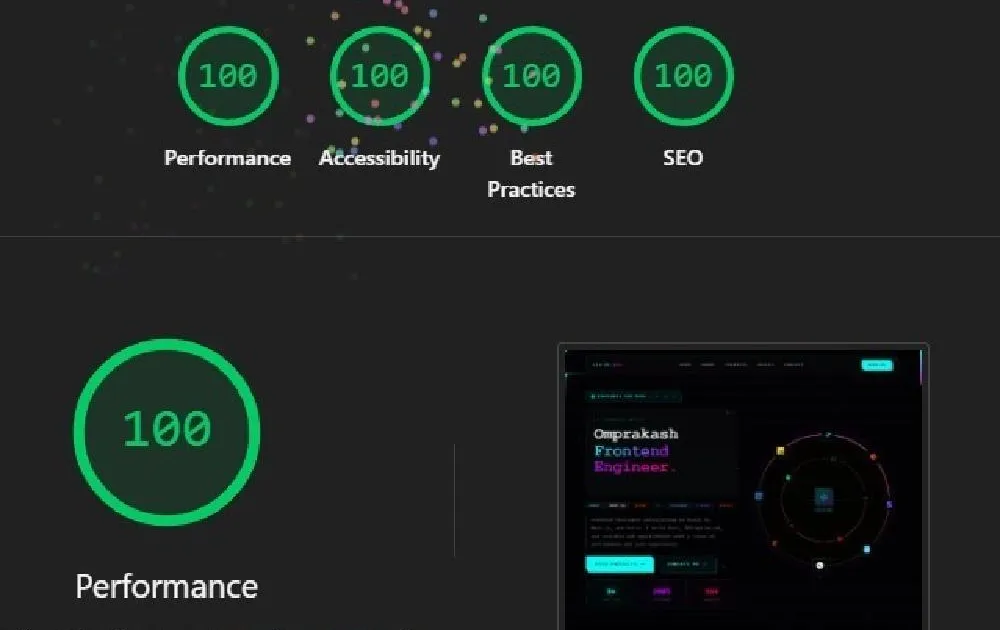
You asked for a website speed audit. Someone sent a 28-page PDF. Half the bars are red. Your developer (or a vendor) says you need a rebuild. Your designer says the hero video is non-negotiable. You’re not sure which warnings are expensive, which are cosmetics, and which are costing you customers this week.
I deliver speed audits for business owners who need decision-grade clarity — not fear. This article teaches you how to read the numbers so you can prioritize budget intelligently. When you’re ready for remediation sequencing, pair this with How to Convert a Slow Website Into a Fast, Modern Site.
Two Dashboards: Lab vs Field
Lab tools (Lighthouse, WebPageTest) run a simulated test. Useful, controllable, great for debugging. They are not your customers.
Field data (Chrome UX Report / Search Console Core Web Vitals) shows what real users experienced on your URLs. This is what Google leans on for CWV status.
| Source | Trust it for | Don’t trust it alone for |
|---|---|---|
| Lighthouse mobile | Reproducing issues, PR checks | Exact user experience worldwide |
| Search Console CWV | ”Are real users suffering?” | Pinpointing the exact line of code |
| Analytics bounce/CVR by device | Business impact | Root cause |
If lab is red and field is green, dig carefully — you may be testing a harsh throttle or a non-representative page. If field is red, treat it as urgent even if a desktop Lighthouse run looked “fine.”
The Only Three Metrics Most Owners Need First
LCP — Largest Contentful Paint
How quickly the main content shows up. Slow LCP feels like “the site isn’t loading.” Often images, hero sections, slow servers, or render-blocking resources.
INP — Interaction to Next Paint
How quickly the page responds after taps/clicks. Slow INP feels like “the button is broken.” Often heavy JavaScript and third-party tags.
CLS — Cumulative Layout Shift
How much the layout jumps while loading. Slow CLS feels cheap and causes mis-taps. Often images without dimensions, injected banners, late fonts.
Deep technical fixes: Optimizing Core Web Vitals on Modern Frontend Projects.
What a “Bad Score” Means for Money
Translate metrics into business language:
- Paid landing page with poor LCP → higher CAC for the same ad spend
- Checkout/lead form with poor INP → abandoned intent
- CLS on mobile CTAs → rage taps and distrust
- Blog with poor performance → weaker engagement and ranking headwinds
The case for caring is laid out in How Businesses Lose Customers to Slow Websites. Your audit should connect red bars to pages that earn money.
How to Prioritize Fixes (Owner Version)
Ask your auditor/freelancer to bucket every finding:
- Fix this month — affects money pages + field CWV failures
- Fix this quarter — structural debt, secondary templates
- Ignore / accept — microscopic lab warnings with no user impact
If everything is P0, nothing is. A competent audit ranks.
Common high-ROI themes (details in Common Frontend Mistakes):
- Overweight images
- Uncaged marketing tags
- Shipping app-sized JavaScript to content pages
- Layout shift from late-loading UI chrome
Questions to Ask Whoever Delivered the Audit
- Which URLs are failing in field data, not only lab?
- What are the top three causes ranked by conversion impact?
- What can be fixed without a redesign?
- What requires architecture change, and why?
- What will we measure in two weeks to prove improvement?
- What’s the cost/effort for each tier?
If they can’t answer without jargon, get a clearer partner.
Rebuild Pressure: When to Say Yes or No
Say no to an immediate rebuild if quick wins haven’t been tried on the current stack and field failures map to images/tags/fonts.
Say yes to a rebuild plan if the platform prevents budgets from being met — theme locks, plugin maze, SPA shell for brochure content. Architecture guidance: Choosing a Frontend Stack for Your Business.
Vendors who skip quick wins and jump to rebuilds may be selling the exciting project — not the economical one.
What My Business-Facing Audits Include
When clients hire me for a speed audit, they get:
- Lab + field reading in plain language
- Money-page prioritization
- Effort-ranked recommendations
- A recommended path: remediate, hybrid, or rebuild
- Optional implementation sprint afterward
The PDF is a means. The decision is the product.
Case Study: Misleading Desktop Green — Miami Agency Client
A Miami marketing agency sent their client a desktop Lighthouse 95 and recommended “minor tweaks.” Field data in Search Console showed mobile LCP Poor on the paid landing template that burned most of the ad budget.
We re-ran audits the way customers experience the site: mobile, throttled, on the money URL, with third parties enabled. Findings ranked cleanly:
| Priority | Issue | Business link |
|---|---|---|
| P0 | 2.4MB hero PNG | LCP on ads lander |
| P0 | Chat + heatmap on all pages | INP + main thread |
| P1 | Font trio blocking render | LCP |
| P3 | Tiny unused CSS warning | Ignore this cycle |
Two weeks of remediation — no redesign — moved field CWV toward healthy and stabilized CPA conversations. The client didn’t need 28 pages of lab trivia. They needed the P0 table. Sequencing after that follows Convert a Slow Website Into a Fast, Modern Site.
Case Study: Rebuild Was Correct — Munich Marketplace
A Munich marketplace site sat on a aging theme with a plugin chain nobody wanted to own. Quick wins bought 300–400ms. Field LCP remained unacceptable on category templates required for growth.
Audit conclusion in plain language: remediation ceiling reached; architecture change required. We proposed a phased storefront frontend with a performance budget — not a surprise invoice mid-sprint. Leadership approved because the audit showed why hosting upgrades wouldn’t save them.
When the stack is the bottleneck, say so — after you’ve proven quick wins aren’t enough. Stack choices: Choosing a Frontend Stack for Your Business.
How to Read a Lighthouse Category Without Panic
| Category | Business translation |
|---|---|
| Performance | Speed experience — start here for revenue URLs |
| Accessibility | Usability + risk — don’t ignore, different budget |
| Best Practices | Hygiene — mixed urgency |
| SEO (Lighthouse) | Basic tech signals — not a full SEO strategy |
A 100 SEO score in Lighthouse does not mean you will rank. A middling Performance score on a checkout URL does mean customers feel friction. Keep tools in their lane; deeper CWV repair patterns live in Optimizing Core Web Vitals on Modern Frontend Projects.
Sample Executive Summary Format I Use
When I deliver an audit to a non-technical owner, page one looks like:
URLs reviewed: …
Field CWV status: …
Money-page risks: …
Top 3 fixes (this month): …
Estimated effort: S / M / L
Recommended path: Remediate | Hybrid | Rebuild
Prove-by date: … (metrics: …)
If your vendor’s page one cannot be rewritten in that skeleton, ask for a revision before you approve a five-figure follow-on.
Third Parties: The Quiet Budget Killer
Owners approve one “quick” script at a time. Audits should list them:
| Tag / tool | Present on money pages? | Keep / defer / remove |
|---|---|---|
| Chat | ||
| Heatmaps | ||
| Personalization | ||
| Ad pixels | ||
| A/B tools |
Marketing owns the why. Frontend owns the how (load timing, consent, route allowlists). Uncaged tags are a recurring theme in Common Frontend Mistakes That Hurt Website Performance — and in almost every confused PDF I review.
Budgeting After the Audit
Rough budgeting intuition for owners:
- Small remediation sprint: often a few thousand USD when images/tags/fonts dominate
- Template refactor: mid-band when CSS/JS architecture is messy but platform is OK
- Rebuild: higher — justified when ceiling is real
Price context for hiring the implementer: How Much Does a Freelance Frontend Developer Cost in 2026?. Pay for ranked decisions first if you’re not ready to commit to rebuild theatre.
Owner Cheat Sheet: Next Meeting Agenda
- Confirm field vs lab on the top three revenue URLs
- Agree P0 list and owners
- Decide remediate vs rebuild with evidence
- Set prove-by metrics and date
- Park accessibility/SEO follow-ups in separate tracks so they don’t get fake-P0’d
Walk out with decisions, not another PDF.
Field Data Gaps on New Sites
New domains or low-traffic URLs may lack CrUX field data. Owners hear “no data” and freeze. Practical approach:
- Use lab tests on money templates as the temporary north star
- Watch analytics engagement/CVR by device immediately
- Re-check Search Console CWV as traffic accumulates
- Don’t wait three months of Poor field status before acting if lab already screams
A Edinburgh SaaS launch had thin field samples for two weeks; we still shipped image fixes because lab + session recordings agreed. Absence of CrUX is not absolution.
How Marketing and Engineering Share the Audit
Pass/fail arguments explode when incentives differ. Write shared rules:
| Rule | Example |
|---|---|
| Money URLs list | /, /pricing, /demo, top ad lander |
| Budget | LCP ≤ 2.5s mobile lab on those URLs |
| Tag process | New scripts require staging check + budget re-run |
| Acceptable exceptions | Named, time-boxed, owner assigned |
Without rules, every campaign reinventures red bars. With rules, audits become maintenance, not annual trauma. Customer-loss context stays useful: How Businesses Lose Customers to Slow Websites.
DIY Pre-Audit You Can Run Tomorrow
Before hiring anyone:
- Search Console → Core Web Vitals → note Poor URLs
- PageSpeed Insights on those URLs (mobile)
- Analytics mobile CVR for the same paths
- List third parties visible in the network panel on one lander
Bring that packet to a freelancer. You’ll get a sharper quote and waste less discovery budget — whether the outcome is remediation or a rebuild conversation.
Conclusion
A website speed audit is useful when you can separate lab from field, focus on LCP/INP/CLS for revenue URLs, and demand ranked recommendations with proof criteria. You don’t need to become a performance engineer — you need enough literacy to avoid both neglect and overbuying.
If you’ve received a confusing audit — or need one grounded in business impact — share your top URLs. Remediation usually maps to website performance optimization: I’ll translate the red bars into a plan you can approve with confidence.
An audit without remediation is a PDF. When you are ready to act on the red bars, move into a fix slow website plan.
Key Takeaways
- Treat field Core Web Vitals as the customer truth; use lab tools to debug
- Start with LCP, INP, and CLS on pages that make money
- Demand prioritized fixes with effort and expected impact
- Try remediation before approving a full rebuild
- Tie follow-up success to metrics, not vibes
- Ask plain-language questions until the plan is decidable
Table of Contents
// related.posts()
Continue Reading_

How to Convert a Slow Website Into a Fast, Modern Site
A step-by-step process for turning a slow website into a fast, modern frontend — triage, quick wins, architecture decisions, and how I plan remediations that improve conversions without a chaotic full rewrite.

How Businesses Lose Customers to Slow Websites
Every second of load time costs conversions. Real data, case studies, and the frontend performance fixes that turn slow sites into revenue generators — from a developer who's audited dozens of client sites.

Image Optimization Strategies for Faster Websites
Practical image optimization from client projects—formats, responsive sizing, lazy loading, CDN delivery, and the mistakes that tank Core Web Vitals.